The Camera That Watches You Work
How a webcam, a five-second timer, and 359 frames changed how I think about process
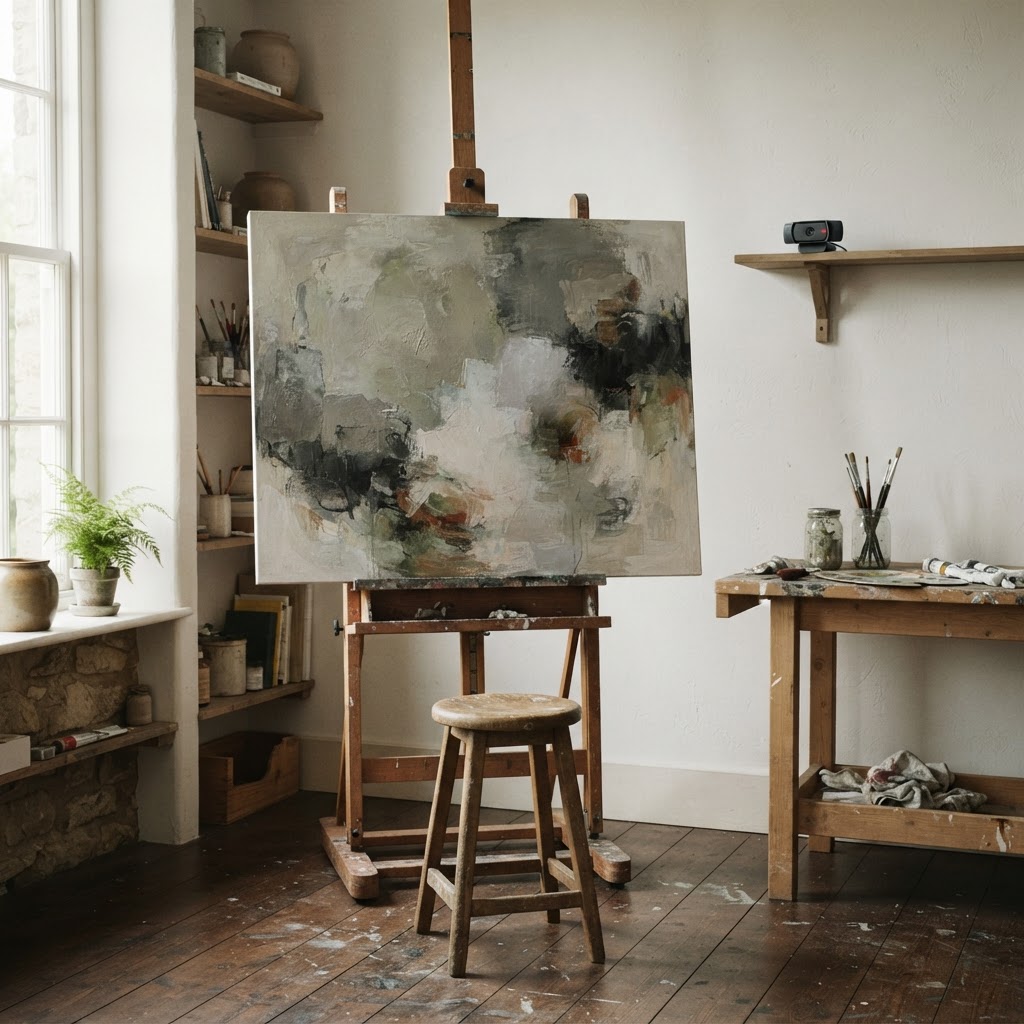
The Unorthodox Angle
The timelapse isn't content. It's a mirror. You watch yourself work and discover patterns you never noticed — when you step back, when you lean in, when you push through, when you stop. The camera that watches you work doesn't make you better. It makes you aware.
The webcam turned on at 5-second intervals and watched me paint.
I didn't set it up. I didn't press record. I didn't adjust the lighting or check the frame. The camera was already there — part of the project setup, running quietly in the background while I worked. It captured 359 frames across six sessions, and when I finished the painting, it had a timelapse ready without me doing anything.
The painting is called Colors. It's a piece I've been working on in the studio. The timelapse is the part I didn't plan for.
What the Camera Saw
ArtFlow Timelapse is a project management tool for artists that automatically captures webcam timelapses while you work. You create a project, set the capture interval, and start painting. The camera runs in the background. When you finish a session, the frames are saved. When you finish the project, the timelapse stitches itself together.
359 frames. Six sessions. Five seconds between each capture. I adjusted the camera filters — brightness down to 80, contrast up to 105, saturation at 100 — to get a flat, documentary look. I didn't want a polished video. I wanted a record.
And that's what I got. A record of making something, captured without me thinking about it.
The Mirror Effect
Here's what I didn't expect: watching the timelapse changed how I paint.
I saw patterns I didn't know I had. I lean in close for detail work and sit back for broad passes. I step away when something isn't working — not for a few seconds, sometimes for a full minute. I paint in bursts of 10-15 minutes with short breaks between them. I never noticed any of this while I was painting. The camera noticed.
This is different from process documentation. Process documentation is for other people — students, buyers, an audience. The timelapse is for me. It's a mirror that shows me how I work, not just what I make.
I've written about process as product before — the idea that the making of is becoming as valuable as the made. But there's a layer below that: the process as feedback loop. The camera that watches you work becomes a tool for understanding your own practice. You see your rhythm, your hesitations, your breakthroughs. You see when you're productive and when you're just pushing paint around.
The Teaching Dimension
There's a reason painting tutorials are popular on YouTube. People want to see the process — not just the result, but the decisions, the mistakes, the corrections. Most process videos are staged: the artist sets up the camera, edits the footage, narrates the decisions. The result is polished but dishonest. Real painting doesn't have a narrator.
The automatic timelapse doesn't edit. It doesn't narrate. It doesn't know what's interesting and what isn't. It captures everything at the same interval, which means it captures the boring parts — the drying time, the staring-at-the-canvas time, the walking-away time. Those parts are the actual process. They're also the parts that never make it into tutorials.
If I were teaching, this is what I'd show students. Not the highlights. The whole thing. The 359 frames that include every moment I spent on the piece, not just the moments that looked good on camera.
The Scale Problem
One painting, 359 frames, six sessions. That's manageable. Now imagine a year of work — 30 paintings, 50 drawings, 10 experiments. Thousands of frames. Dozens of timelapses.
This is where the management tool part comes in. ArtFlow isn't just a camera — it's project management. Each project has its own timelapse, its own session log, its own metadata. You can see what you worked on, when, and for how long. The camera is the interesting part, but the system around it is what makes it sustainable.
Without the system, you'd have a folder full of frames and no way to organize them. With it, you have a documented practice — a record of what you made, when you made it, and how long it took. That record is useful for self-reflection, for teaching, for selling, and for the simple human pleasure of watching yourself get better.
What This Could Be
The automatic timelapse is a specific solution to a specific problem. But the pattern generalizes.
Imagine a pottery studio where the wheel has a camera above it. Every piece is documented from start to finish. The timelapses become a portfolio, a teaching tool, and a record of technical evolution. Imagine a writing studio where the screen is captured at intervals — not for surveillance, but to see your writing process. When do you draft? When do you edit? When do you stare at the screen for two minutes and then write a paragraph in thirty seconds?
The technology is trivial. A camera, a timer, a file system. The value isn't in the technology — it's in the record. Most creative practice is invisible, even to the practitioner. We make things and move on. We don't watch ourselves work. We don't see the patterns.
The camera that watches you work doesn't make you a better painter. It makes you a more aware painter. And awareness, it turns out, is the part that's hard to manufacture.
The Uncomfortable Part
There's a vulnerability in process documentation that you don't get with finished work. A finished painting says: here's what I made. A timelapse says: here's how I made it, including the parts where I almost ruined it.
The 359 frames include moments I wouldn't show anyone. The overworking. The hesitation. The section I painted over three times before it worked. In a finished piece, those moments are invisible. In a timelapse, they're the most interesting part.
This is the tension at the heart of process-as-content: the most valuable documentation is the most embarrassing. The failures teach more than the successes. But the failures are the part you least want to show.
I don't have a resolution for this. I'm still figuring out what to do with the Colors timelapse. It exists. It's honest. I might share it eventually, or I might keep it as a private record. But either way, I learned something from watching it that I couldn't have learned any other way: I saw myself work.
That's worth more than the painting.